
Start from engineering intent
Build native signal-flow or physical models, create supervisory state machines, reuse library content, import FMUs, or reconstruct supported MathWorks-oriented model content.

DEVlink MIL Studio is a Model-in-the-Loop engineering environment for creating, composing, simulating, validating, and exchanging executable models across controller, plant, physical-system, and system-level workflows.
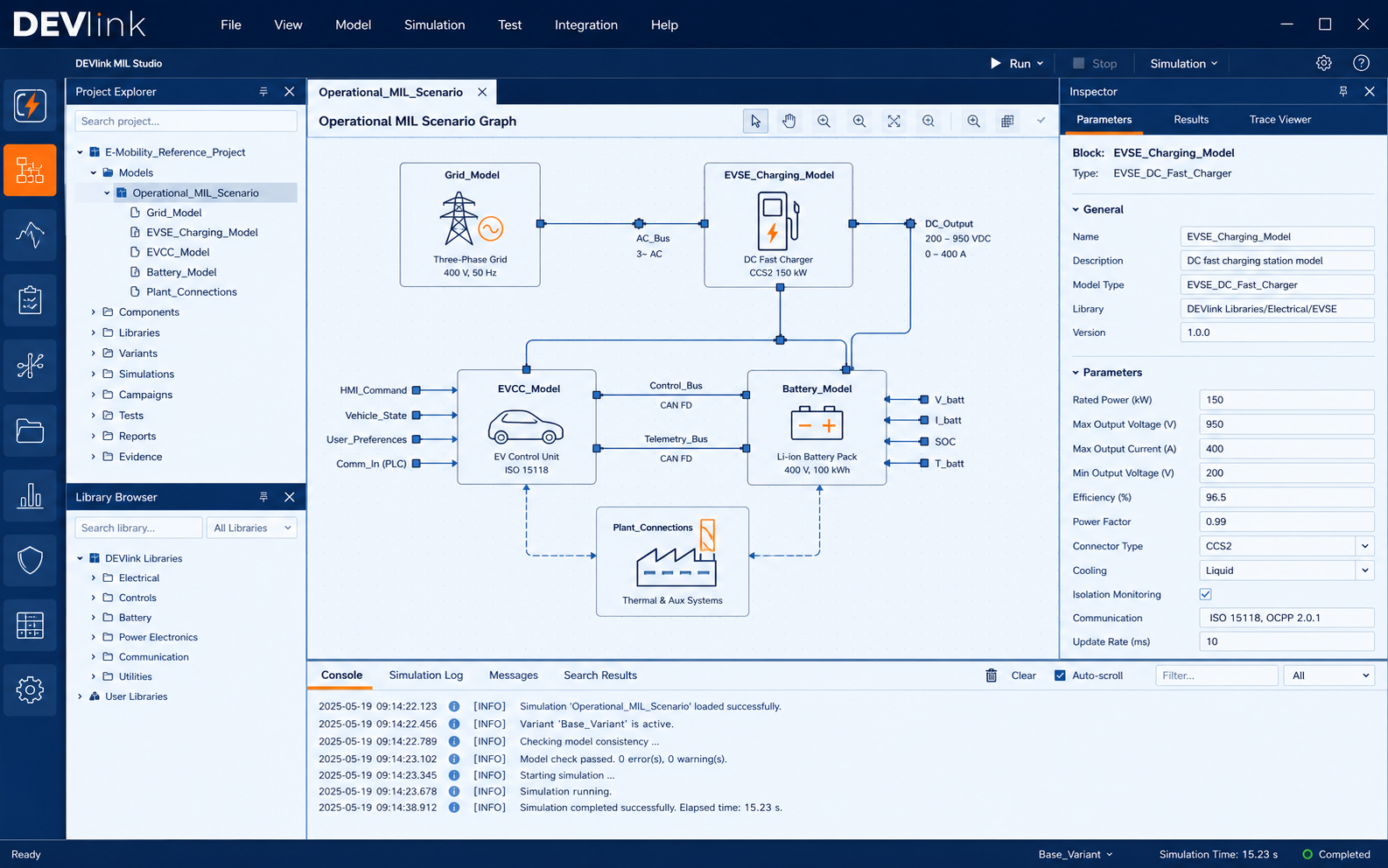
MIL Studio is designed for engineers who need more than a diagram editor: the model, solver, scenario, tests, evidence, and downstream handoff remain connected.
Build native signal-flow or physical models, create supervisory state machines, reuse library content, import FMUs, or reconstruct supported MathWorks-oriented model content.
Define typed interfaces, hierarchy, parameters, variants, model references, solver ownership, and scenario connections across multiple model domains.
Validate, initialize, execute, inspect traces, run assertions, parameter sweeps, faults, campaigns, and deterministic replay with reviewable result evidence.
Build and qualify FMI artifacts, re-import for numerical comparison, map interfaces, and prepare controlled SIL, HIL, or external-test-bench handoff packages.
MIL Studio is designed to be understandable to engineers coming from environments such as Simulink/Simscape, dSPACE-oriented virtual validation, FMI toolchains, and NI-style xIL integration—while making model ownership and qualification boundaries explicit.
Create executable block diagrams, hierarchical subsystems, physical conserving networks, battery/electrical/thermal models, and hybrid state-machine behaviour with typed interfaces and reusable libraries.
Work with discrete, continuous, hybrid, multi-rate, and physical-system execution while keeping sample times, operating points, initialization, and deterministic replay visible.
Inspect modelDescription metadata, variables, parameters, lifecycle state, communication-step assumptions, and model exchange/co-simulation boundaries before using an FMU in a larger system.
Use supported MathWorks project, Simulink, Simscape, and Stateflow migration paths as a reconstruction workflow—not as an automatic claim of semantic or numerical equivalence.
Turn bounded natural-language engineering intent into a structured model plan and preview, then validate and explicitly apply changes before normal simulation and test qualification.
A model can be structurally valid and numerically useful in MIL while still requiring qualification in the exact simulator, real-time target, HIL bench, or supplier environment where it will be used.
The same workflow can be used for focused controller or plant models and for larger composed systems across e-mobility, aerospace, industrial, and energy applications.
Create balancing, SOC/limit, contactor, thermal, and battery-plant models; calibrate behaviour; run fault and boundary cases; export the accepted model as an FMU.
Compose battery, BMS, EVCC, EVSE, charging-power and grid/site models to study system limits, charging behaviour, derating, faults, and energy flow.
Combine switching or averaged converter models, DC links, inverter stages, motors, controls, thermal effects, and operating-point studies.
Model electrical networks, supervisory logic, actuators, energy storage, controls, and supplier interfaces before scarce rig or system hardware is available.
DEVlink scopes the evaluation around an actual model-development or migration problem, the intended FMI or xIL boundary, and measurable acceptance evidence. This avoids evaluating a modeling tool with a generic demo that does not represent the customer’s work.
No. E-mobility is a strong reference domain because it combines controls, batteries, power electronics, physical dynamics, communication, and xIL integration, but MIL Studio is designed as a general engineering modeling and simulation environment for automotive, aerospace, industrial, energy, and other complex systems.
MIL Studio includes supported migration and reconstruction workflows for MathWorks-oriented content. Migration is treated as import plus structural review plus semantic review plus numerical qualification; unsupported/custom content may require explicit reconstruction.
The product includes FMI 2 and FMI 3 interoperability workflows, with production-oriented FMI 2 Co-Simulation build and qualification paths and broader FMI import/runtime/deployment capabilities. The exact FMU and third-party host still require target-specific qualification.
Yes. MIL Studio can prepare model artifacts, interface contracts, I/O mappings, timing assumptions, reference vectors, and deployment evidence. The final target runtime, hardware I/O, timing feasibility, and safety authority remain part of the downstream SIL/HIL environment.
CoPilot proposes a structured engineering plan and model changes, provides preview and validation context, and requires explicit user approval before applying validated changes. Generated content still follows the same simulation, assertion, regression, and export qualification process as manually authored content.
Use a representative model, expected behaviour, and intended FMI or xIL handoff so the evaluation produces an engineering decision—not just a software demo.